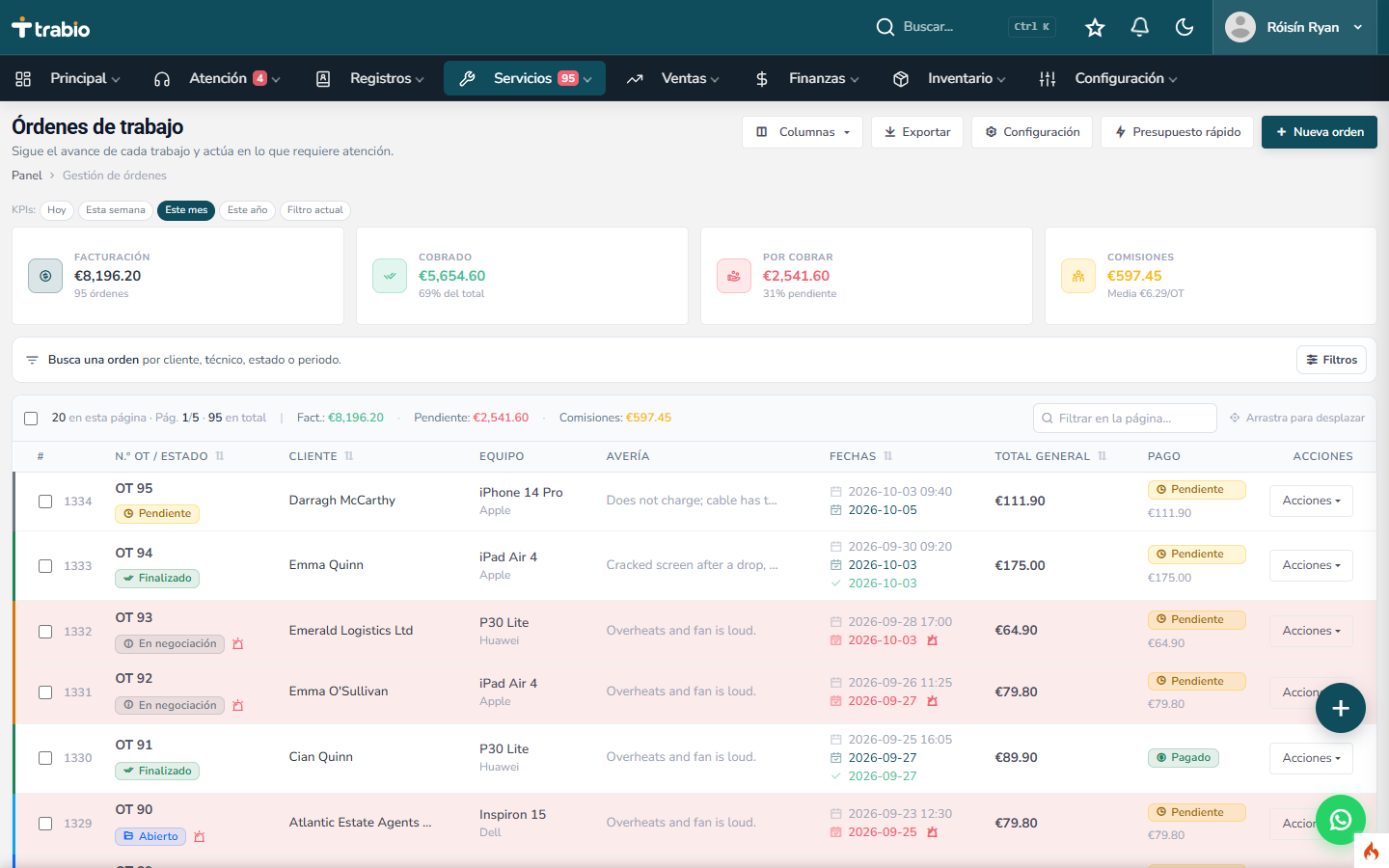
What a repair work order needs to cover
A work order is more than a number: it records the customer, the device, the reported fault and what the shop has committed to. In Trabio it can also hold check-in and check-out lists, photos, internal notes, assigned technicians, commissions, parts, labor, other costs, discounts and payments.
Track every repair without interrupting the bench
Set the statuses that match your workflow: open, quote, approved, waiting for parts, in progress, ready for pickup, delivered or warranty. The history shows what changed and who changed it.
More transparency for the customer
Send a public link so the customer can check the repair status. On Professional, Premium Plus and Enterprise, quotes can be approved online. Handoff can include a digital signature from both the customer and the technician.
From the part used to the stock movement
When a part is added to a work order, inventory is deducted automatically. The bench and the stockroom stay connected, with no duplicate entries.
Work order questions
Can I print a work order?
Yes. Work orders can be printed on A4 paper or a thermal printer, and labels can be generated.
Can customers approve quotes online?
Yes, on Professional and higher plans. On every plan, customers can follow the repair through a public tracking link.
Does Trabio calculate VAT or sales tax per line item?
No. Trabio creates quotes, work orders and receipts. US sales tax is not calculated, and detailed VAT per line item is still in development. Use your invoicing software for official tax documents.